

VOdds Login and Access Issues
If you’ve hit a wall trying to log into VOdds, the first thing worth knowing is that “access problem” isn’t one issue – it’s usually one of three very different ones, and each has its own fix. Some are solved in thirty seconds. Others need you to wait on support and stop trying to force your way in. This guide walks through what’s actually going on, what causes it, and which fix to try first, so you’re not just refreshing the login page and hoping.
 What “Access Problem” Means
Before troubleshooting anything, it helps to figure out which category you’re actually dealing with. The symptoms look similar from the outside – a page that won’t let you in – but the cause, and the fix, are completely different depending on which one it is.
Login Failure
This is the most common version: you enter your details and the system rejects them. Usually it’s a wrong password, a username typo, or a password-reset email that hasn’t arrived yet. VOdds’ own help resources point to credential mismatches as one of the leading reasons access breaks down – not a platform fault, just a login that isn’t matching what’s on file.
Site Not Loading
Here the account itself may be perfectly fine – the page or dashboard simply isn’t opening properly. This usually traces back to the browser (an old cached version of the page), the device, or a short-lived availability hiccup on VOdds’ side. If you can’t even reach the login screen, this is almost always where the problem lives, not in your credentials.
Account Restricted
The third category has nothing to do with typos or browsers. It’s an account under review – pending verification, a compliance check, or in some cases a suspension while support looks into something. User reports on independent review platforms confirm this does happen: some users describe being told their account is under review or that they need to wait for a support update before regaining access.
Main Causes
Each of the access problems above tends to trace back to one of four root causes. Knowing which one you’re dealing with tells you exactly what to try next, instead of guessing.
Wrong Credentials
By far the simplest and most common cause. A mistyped password, a forgotten one, or an old saved password that autofill keeps suggesting even after you’ve changed it – this accounts for the majority of failed logins, and it’s rarely anything more complicated than that.
Browser Or Device Issues
Sometimes the account is completely fine and the problem is what’s rendering it. A stale browser cache, an outdated browser version, or an unstable connection can all stop the login page from behaving correctly. It’s easy to assume something is wrong with your account when really the page just isn’t loading the way it should.
Verification Or Compliance Check
Some users aren’t blocked by a bug at all – they’re mid-way through a verification or compliance process that simply hasn’t finished. VOdds’ help documentation covers account verification (read https://voddsofficial.com/account-verification/) and KYC requirements directly, and review threads echo the same pattern: users told to sit tight while their case is reviewed.
Temporary Site Availability
Outages, scheduled maintenance, or short interruptions on the main domain happen occasionally, as with any online platform. The important thing to understand is that this doesn’t mean your account or balance is gone – it means the door you’re using is temporarily closed, not that the building burned down.
Solutions That Work
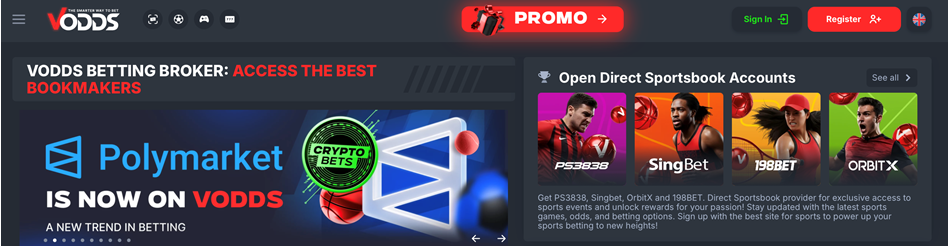 Once you know which category your problem falls into, the fix is usually one of these four. Start from the top and work down – most access issues resolve at the first or second step.
Check Login Details
Start with the obvious. Confirm your username and password carefully, and double-check what your browser has autofilled – it’s a common source of failed logins when a password was updated but the saved version wasn’t. If something’s genuinely wrong, reset the password before trying anything else.
Refresh The Browser
Clear your cache, try a different browser, or switch devices before assuming the problem is bigger than it is. This single step resolves a surprising number of “access problems” that look serious but are really just a stale page.
Wait For Verification
If your account is under review, repeated login attempts won’t speed anything up – they just add noise to the queue. The better move is to follow whatever verification instructions you’ve been given and wait for an official update rather than fighting the login screen.
Contact Support
If none of the above resolves it, reach out to official support directly and include your login ID plus a short, specific description of the problem. VOdds lists support contact through email and WhatsApp on its official contact page, and support responses referenced in user reviews also point to Telegram and Skype as active channels.
Platform Background and What Users Say
A little context on what VOdds actually is helps explain why access sometimes involves more than a password reset – and it’s worth hearing from people who’ve actually used the platform, not just its own marketing copy.
Platform Background
VOdds describes itself as a licensed trading platform based in Curaçao, operating since 2016, and positions itself as a sports betting broker giving users access to multiple bookmakers and sportsbook accounts through a single account.
Account And Dashboard Features
The dashboard isn’t just a login screen and a bet slip – it includes account credentials, profit and loss reporting, unsettled orders, transaction history, past activity, and betting preferences. That extra complexity, compared to a simple sportsbook login, is part of why access issues on VOdds sometimes involve more moving parts than “forgot password.”
Support Contacts
Official channels listed on VOdds’ contact page include email and a WhatsApp number, and support replies referenced in review threads also mention Telegram and Skype as working contact points. Worth saving one of these before you need them, rather than searching mid-problem.
What Real Users Say
Independent reviews on Trustpilot and Sitejabber give a more balanced picture than either the complaints or the marketing alone. Several users specifically mention the value of VOdds’ demo account, funded with practice money, which let them test how the platform works before risking a real deposit – a useful option if you’re trying to understand the broker model before committing. Others highlight the practical side of consolidating everything into one account, rather than juggling separate registrations with several brokers. On Trustpilot, longer-term users describe transactions as consistently smooth, including during live play and peak hours, and note that the platform keeps adding features, like a newer, more user-friendly dark-mode interface. Support responsiveness comes up often in the positive reviews too, particularly over email and live chat.
That said, the reviews aren’t uniformly positive – a number of users on the same platforms describe frozen withdrawals or long waits during account review, which lines up with the “Account Restricted” cause covered above. Reading a spread of reviews rather than just the best or worst ones is the more useful way to gauge what to actually expect.
Availability And Mirror Notes
Independent review content also references official mirror sites, meant to keep access working if the main domain is temporarily unreachable in a given region. If you ever need one, only use a link confirmed through VOdds’ own site or verified support channels, and check for a valid HTTPS connection before entering any login details.